
Buying a CNC from China: verify the controller and CAM handover
Request the tested post, software versions, controller configuration and buyer-owned NC evidence before ordering a CNC.
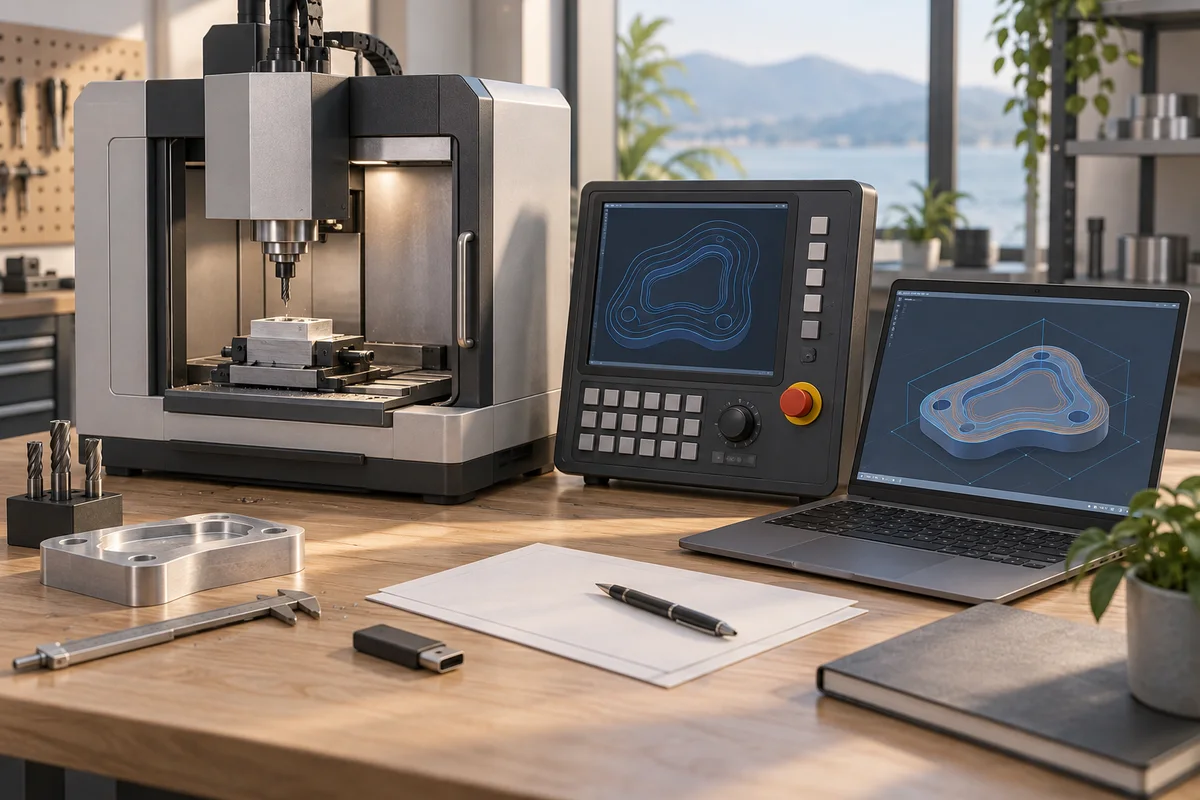
A CNC listing that says “supports G-code” does not prove that your CAM program will run correctly. Before ordering from a Chinese seller, obtain a reproducible handover: the exact controller and firmware, the agreed CAM post processor, its settings, a buyer-owned test project and the corresponding machine results. Make this evidence part of the purchase scope.
You are buying the software chain alongside the frame and spindle. If the demonstration runs only on the seller's laptop, the handover is still unresolved.
Identify every link between your drawing and the machine
Record the CAD/CAM product and version you plan to use, your computer's operating system, the post processor filename and revision, the sender or control application, and the controller model and firmware. Include the connection method and any required drivers. Ask the seller to check this list against the quoted machine revision, rather than a photograph of a different machine.
Autodesk's NC Program documentation shows that the selected post and its properties control machine-dependent output, including tool changes and other functions. That is why choosing a post by a similar brand name is insufficient evidence. Autodesk NC Program reference.
Keep software entitlement separate from compatibility. Ask the software provider to confirm the licence terms, activation or transfer process, account owner, permitted use and support arrangements. Preinstalled software or a screenshot of its activation does not establish those details.
Replace “G-code compatible” with a feature checklist
Give each required operation its own row: linear moves, arcs, selected units, work offsets, spindle commands, probing, drilling cycles and the intended tool-change method. Ask the seller to mark each as supported, supported with a documented workaround, or unavailable. Leave unanswered rows marked as unresolved.
For a concrete boundary, the original Grbl v1.1 documentation describes a limited interpreter without canned cycles, variables or a tool database. Some CAM output may therefore need different post settings or explicit moves. This statement applies to the documented original project, not every board advertised as “GRBL,” grblHAL or FluidNC. Confirm the installed implementation. Grbl project wiki.
An unavailable feature you do not need may not make the machine unsuitable. A feature required for every production job must be resolved before you can make a meaningful price comparison.
Give the seller a small, buyer-owned test project
Use a simple project that exercises the required functions without including confidential production geometry. Provide the model, material description, proposed tools and intended work-coordinate convention. Ask the supplier to recommend a safe test and identify unsupported functions before generating the code.
Link the CAM project, the post and properties used, the generated NC file and the recorded execution results. Without the corresponding files, a video shows a demonstration but does not let you reproduce the software chain.
Autodesk advises verifying generated code before machine use and testing individual operations when evaluating a post. Follow the specific machine manufacturer's procedure with qualified personnel; a purchasing checklist is not authority to run unverified code. Autodesk post testing guidance.
Ask for a usable handover folder
A proposed folder manifest highlights what is left out.
- Machine identity: model, quoted revision and controller/firmware record.
- Software: names, versions, legitimate installers or official download links, and entitlement records.
- Post: exact file, revision or file hash, properties and machine configuration used for the test.
- Controller: manufacturer-supported configuration backup and documented recovery method.
- Test: CAM project, setup sheet, tool list, NC file and results linked to that same configuration.
- Support: contact, language, response scope and who owns a post-related fault.
These are requested deliverables, not a guarantee that every controller has an exportable configuration. If a backup is unavailable, ask how the supplier would restore or replace that exact controller and what records the buyer must keep.
Make acceptance and later changes explicit
Treat file delivery, the software-chain demonstration and dimensional part acceptance as separate checks. Reading a file without an alarm does not prove the part's dimensions or surface finish. Define the required measurements in the overall machine purchase agreement.
After acceptance, keep the tested software combination together. A later firmware, CAM or post update creates a new combination to check. Do not silently replace the accepted post; record the reason, responsible person and test evidence for each update. Ask whether support includes future CAM versions or only the delivered configuration.
Copy this RFQ paragraph
“Please quote the exact controller and firmware supplied with this machine. Our CAM and computer environment are listed in the attached brief. Identify the post processor and settings, confirm each required function, and provide a supported backup/recovery plan. Please return the CAM project, generated NC file, setup information and recorded test results for the agreed configuration. List licence rights, unavailable functions, extra software costs and post-support exclusions separately. Do not substitute the controller without written approval.”
Add your destination, quantity and required date, then use the CNC quote form. For the broader purchase scope, start with the first CNC checklist.
Request a matched controller and CAM package
Example request: seller A lists a general controller family, while seller B cites the firmware build and the exact post file used with a sample. Ask both for the controller model, firmware, supported axes, the post revision and a labelled sample export.
Use the same configuration for both quotes. Ask the seller to document machine-approved validation and who provides the configuration files or training before approval.
Put this guide to work
Working notes to adapt to your order. Keep the approved specification and the cited guidance alongside this sheet.
Use this review sheet when the supplier returns the handover folder, or when a later software change is proposed. It turns the delivered files into a gap list with an owner and a decision, so a successful demonstration does not hide an incomplete handover.
Review the returned software handover
| Check | Record to keep | If unresolved |
|---|---|---|
| Match the returned configuration to the quoted machine. | A controller and firmware record linked to the machine revision, together with the exact post file, its properties and the CAM environment used for the test. | Mark the configuration as unresolved and ask the supplier to identify the delivered combination; do not substitute details from a similar demonstration machine. |
| Keep software rights and technical compatibility in separate review rows. | The software provider's entitlement response for the intended owner and use, alongside the separate files that document the tested software chain. | Route the entitlement question to the software provider and retain its status separately from the compatibility result. |
| Close each required function with a specific response. | A function log that distinguishes supported operations, documented workarounds, unavailable operations and unanswered questions, with the relevant test reference. | Keep the required operation open; ask for the missing answer or workaround evidence rather than interpreting silence as support. |
| Check that the test files and results describe the same combination. | The buyer-owned CAM project, generated NC file, post and settings, setup information and execution record linked in the folder manifest. | Identify the broken link and request the corresponding file or record. Refer any further machine test to the manufacturer's procedure and qualified personnel. |
| Name the owner of recovery and post-related support questions. | The supported backup or recovery plan, any unavailable export identified explicitly, and a contact whose support scope matches the delivered configuration. | Ask how the exact controller would be restored or replaced, which records the buyer must retain, and who will answer an unresolved post issue. |
Software handover decision log
Add an evidence reference and a responsible person to each entry. File delivery, software-chain acceptance and dimensional part acceptance should retain their own statuses.
| Field | What to enter | Decision or handover |
|---|---|---|
| Configuration baseline | [Machine/revision], [Controller/firmware], [CAM/computer environment], [Post file/revision/properties] and [Test reference]. | Record whether the returned combination matches the agreed configuration. Keep differences visible until the responsible reviewer resolves them. |
| Missing deliverable or evidence link | [Requested item], [Received file], [What it demonstrates], [Missing link], [Owner] and [Status]. | Request the specific missing item. A file's presence does not, by itself, establish the test result or the finished part's dimensions. |
| Required operation and exception | [Operation], [Buyer requirement], [Supplier response], [Documented workaround] and [Test evidence]. | Distinguish an operation the buyer does not need from an unresolved operation the buyer requires. Refer the latter for an explicit decision. |
| Proposed change after acceptance | [Accepted combination], [Proposed change], [Reason], [Responsible person] and [Check evidence/status]. | Retain the accepted files while the changed combination is reviewed. Record the outcome instead of silently replacing the accepted post or configuration. |
Send the next reviewer a bounded review request
Please review handover pack [PACK] for machine [MACHINE] against the agreed software chain [CHAIN]. The function log is [FUNCTIONS], entitlement confirmation is recorded at [RIGHTS], and the remaining gaps are [GAPS]. Please assign [OWNER] to each unresolved item and record the evidence and decision in [LOG]. Keep file delivery, software-chain acceptance and dimensional part acceptance separate. Any proposed change [CHANGE] should remain identified separately from the accepted combination [BASELINE] while it is reviewed.
Sources
Discuss a sourcing request related to this article.Buying a CNC from China: verify the controller and CAM handover